Now that we understand how TinyOS works, we can implement two things for this lab: a mouse interrupt handler and a mouse supervisor call.
Part A: Add mouse interrupt handler
When you click the mouse over the console pane, BSim generates an interrupt, forcing the PC to 0x80000010 (remember the interrupt vector?) and saving PC+4 of the interrupted instruction in the XP register. We paste the interrupt vector here again for your reference. Interrupt vector is hardwired in the CPU:
. = VEC_RESET   | This is loaded at address 0x80000000
	BR(I_Reset)	| on Reset (start-up)
. = VEC_II      | This is loaded at address 0x80000004
	BR(I_IllOp)	| on Illegal Instruction (eg SVC)
. = VEC_CLK     | This is loaded at address 0x80000008
	BR(I_Clk)	| On clock interrupt
. = VEC_KBD     | This is loaded at address 0x8000000C
	BR(I_Kbd)	| on Keyboard interrupt
. = VEC_MOUSE   | This is loaded at address 0x80000010
	BR(I_BadInt)	| on mouse interrupt
The Beta itself implements a vectored interrupt scheme where different types of interrupts force the PC to different addresses (rather than having all interrupts for the PC to 0x80000008 and query each I/O device for input fetch). The following table shows how different interrupt events are mapped to PC values (PCSEL is wired to set PC to be these values depending on the triggering interrupt):
0x80000000	reset
0x80000004	illegal opcode
0x80000008	clock interrupt (must specify “.options clk” to enable)
0x8000000C	keyboard interrupt (must specify “.options tty” to enable)
0x80000010	mouse interrupt (must specify “.options tty” to enable)
The original tinyOS.uasm prints out “Illegal interrupt” and then halts if a mouse interrupt is received:
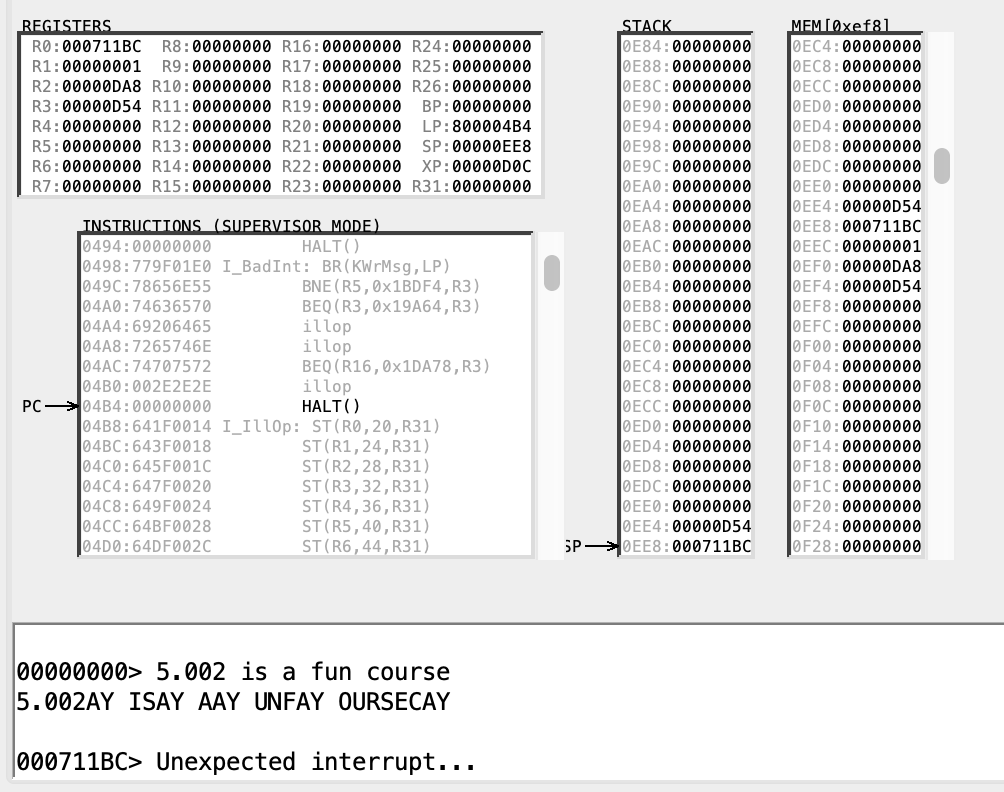
Change this behavior by:
- Adding an interrupt handler that stores the click information in a new kernel memory location and then,
- Returns to the interrupted process.
You might find the keyboard interrupt handler I_Kbd a good model to follow. Also, you might find this bsim documentation and beta isa documentation handy.
The CLICK() instruction
For this Lab, there exist a Beta instruction your interrupt handler can use to retrieve information (coordinates of click) about the last mouse click: CLICK().
This instruction can only be executed when in kernel mode (e.g., from inside the mouse click interrupt handler).
It returns a value in R0: -1 if there has not been a mouse click since the last time CLICK() was executed, or a 32-bit integer.
The integer is formatted as follows:
- The
Xcoordinate of the click in the high-order 16 bits of the word, and - The
Ycoordinate of the click in the low-order 16 bits.
The coordinates are non-negative and relative to the upper left hand corner of the console pane. In our scenario, CLICK() should only be called AFTER a mouse click interrupt occur, so we should never see -1 as a return value.
Testing Your Implementation with .breakpoint
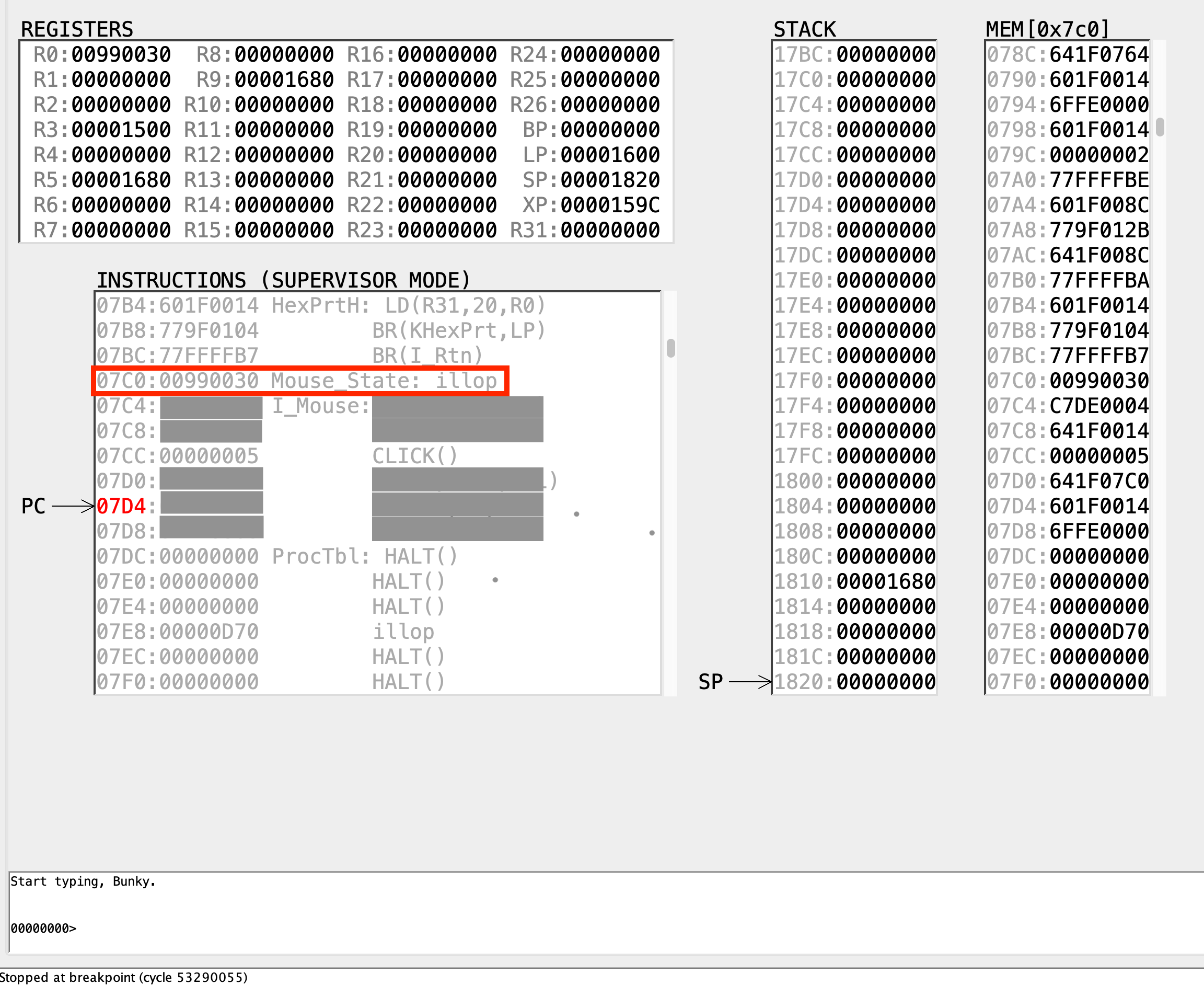
Insert a .breakpoint instruction right before the JMP(XP) at the end of your mouse interrupt handler, run the program and click the mouse over the console pane.
If things are working correctly the simulation should stop at the breakpoint and you can examine the kernel memory location where the mouse info was stored to verify that it is correct. In the sample below, we name the memory location as Mouse_State, and the value in the red box signifies the coordinates of the mouse click made in the console pane.
Task 1
CHECKOFF
Continuing execution (click the “Run” button in the toolbar at the top of the window) should return to the interrupted program. Demonstrate the above result to your instructor / TA in class. When you’re done remember to remove the breakpoint.