Notice that you can inspect the content of HTTP messages on Wireshark. This is not desirable since we typically do not want anyone to sniff what we are browsing on the web. HTTPS is a secure way to send data between a web server and a web browser.
TLS
In HTTPs, the communication protocol is encrypted using Transport Layer Security (TLS) or, formerly, Secure Sockets Layer. TLS secures communications by using asymmetric public key infrastructure, where two keys are used to secure communications between two paraties:
- The private key: this key is controlled by the owner of a website and it’s kept private. This key lives on a web server (where the website is hosted) and is used to decrypt information encrypted by the public key.
- The public key: this key is available to everyone who wants to interact with the server in a way that’s secure. As you have already known, information that’s encrypted by the public key can only be decrypted by the private key.
Public keys are typically embedded in a certificate signed by a trusted Certificate Authority (CA). A certificate is a trusted document that contains a public key and other data of the respective private key owner. Either your browser or your OS ships with a set of trusted CA certificates. If a new CA comes into the market, then the browser or the OS will need to ship a software updates containing the new CA’s information.
Your browser will typically complain if you try to access a site with untrusted Public Key.
Task 8
TASK 8: Enable HTTPs
You can enable HTTPs by running webapp_coffee.py with the -https option:
python webapp/webapp_coffee.py -https
When you try to access the webpage on your browser, e.g: https://127.0.0.1:5031, there might be warning as such:
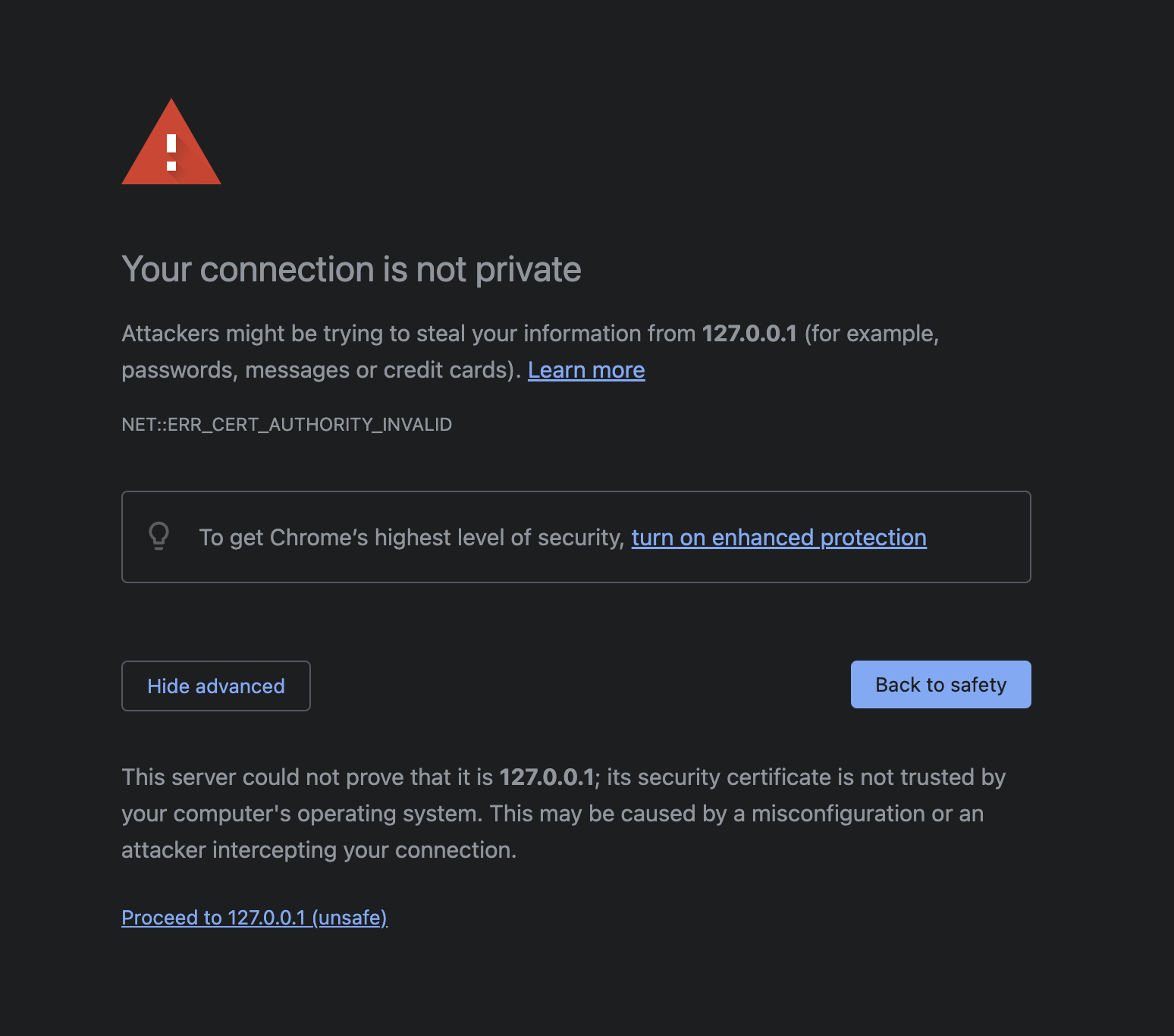
Think! Why is that so?
You can just click proceed anyway, and you should be able to view your webpage as per normal. However this time round, when you open Wireshark and sniff your loopback channel while loading the CoffeePot homepage, all packets are encrypted and wireshark will not be able to decode https packets. It will all appear as TLS packets, with encrypted application data:
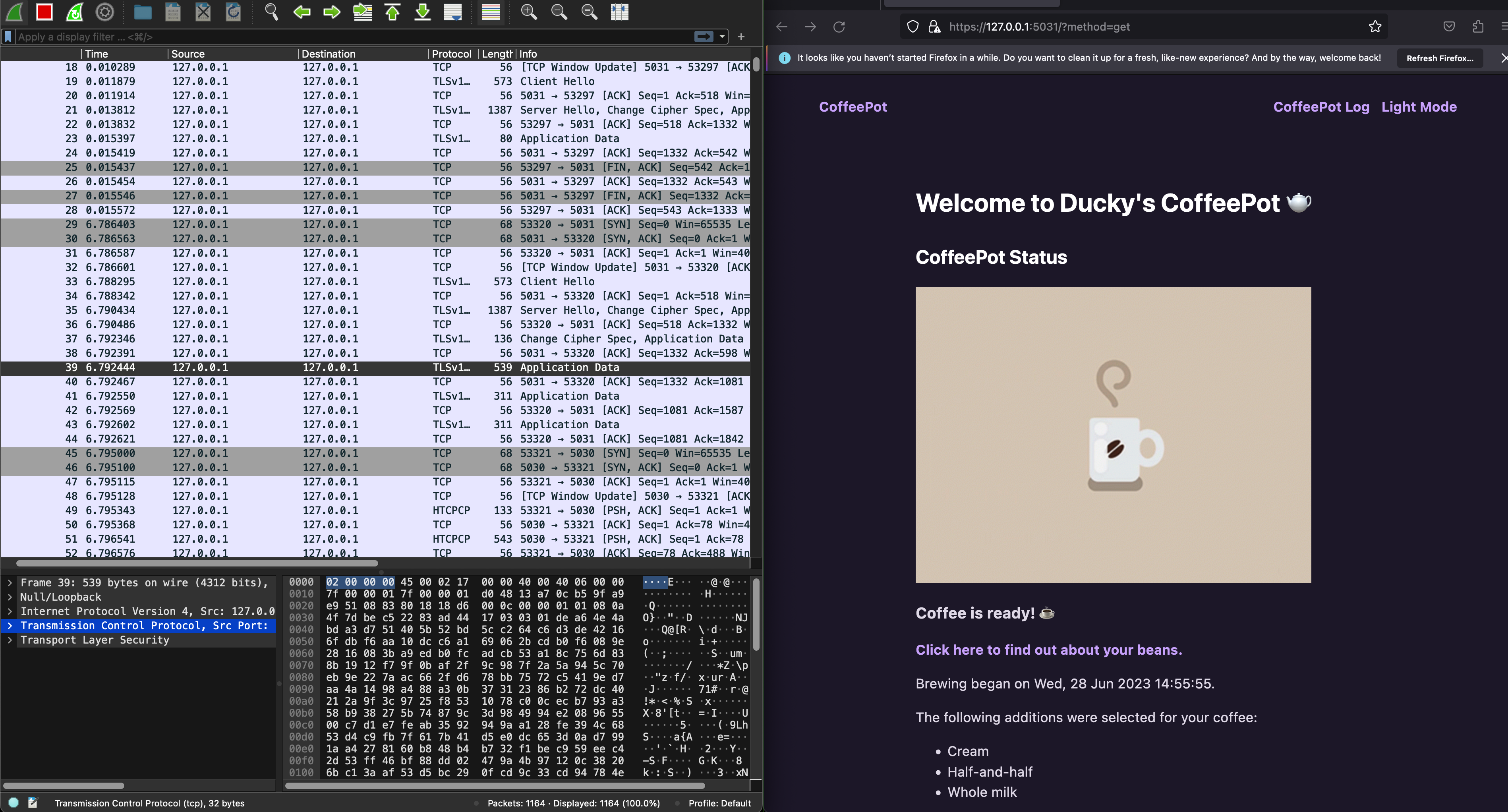
With HTTPs enabled, can you still inspect the HTCPCP messages and their content? Why? Head to eDimension to answer a few questions pertaining to this task.
Generate self-signed certificate
Instead of using Flask’s adhoc certificate, you can also generate your own self-signed certificate (similar to PA2, but PA2 cert is signed by our csesubmitbot). Generate a certificate and a private key using this command.
openssl req -x509 -newkey rsa:4096 -nodes -out cert.pem -keyout key.pem -days 365
You need to have openssl installed first. We assume you already have it since it’s required for Programming Assignment 2. If you don’t have it installed, google it.
You will be prompted to key in some details as such, fill it with whatever you want:
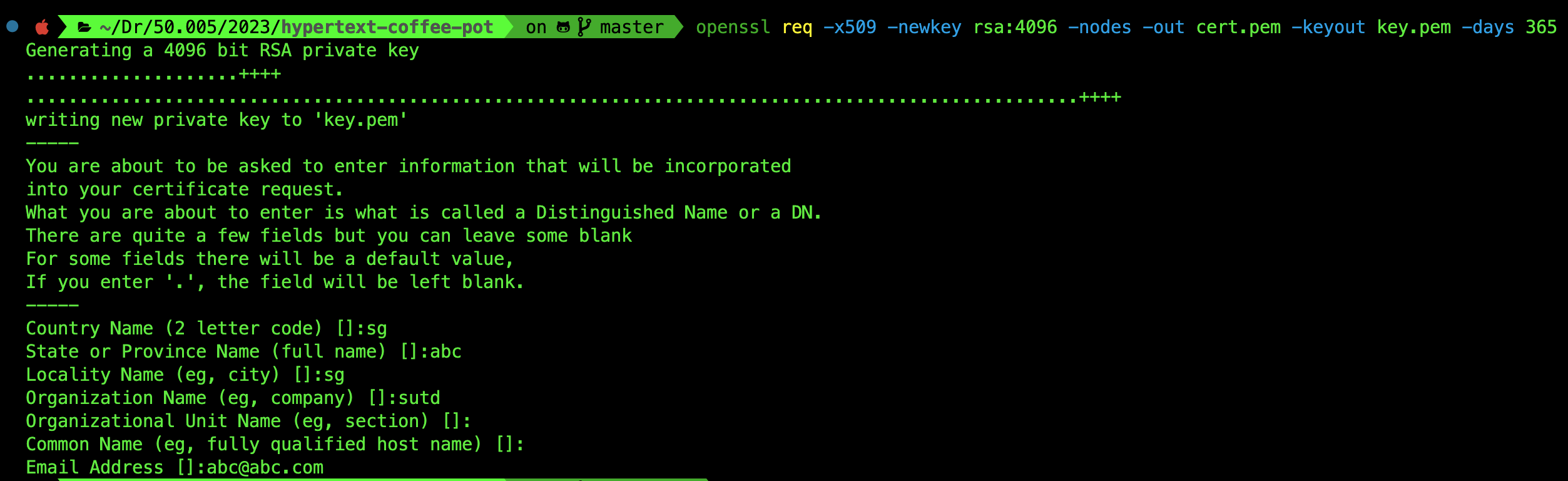
You will have two more files in the root folder of the repository: cert.pem and key.pem. Simply restart the webapp using -custom option:
python3 webapp/webapp_coffee.py -https -custom
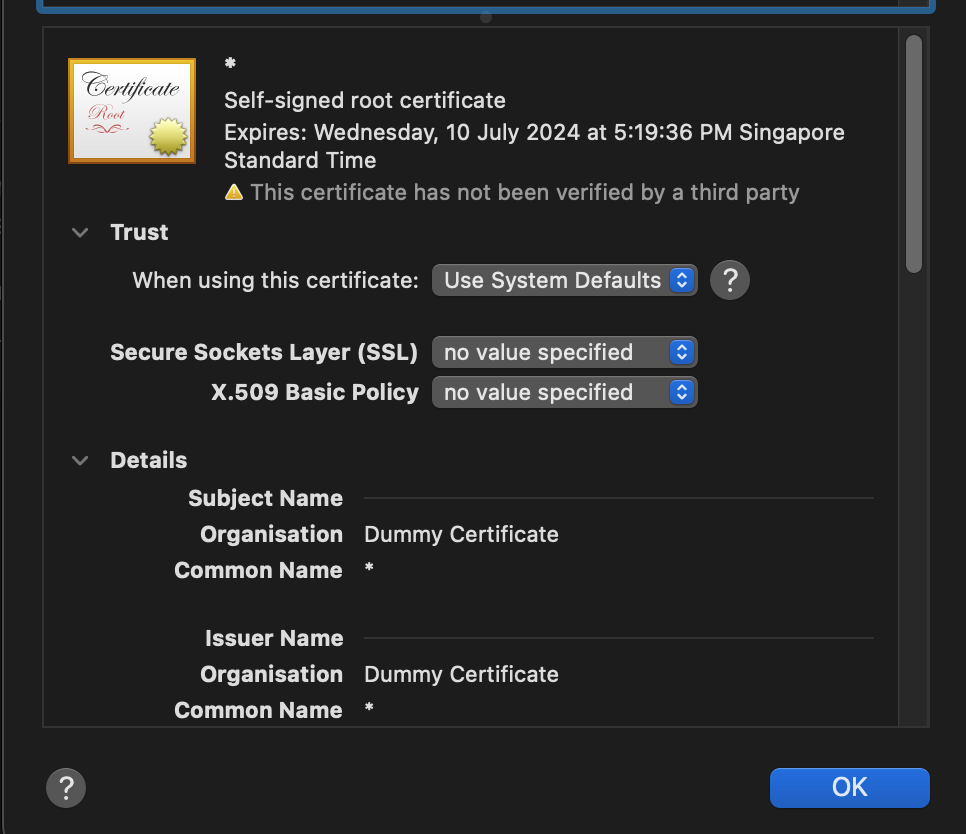
When you inspect the certificate on your browser, you will notice that it will show the details you keyed in earlier:
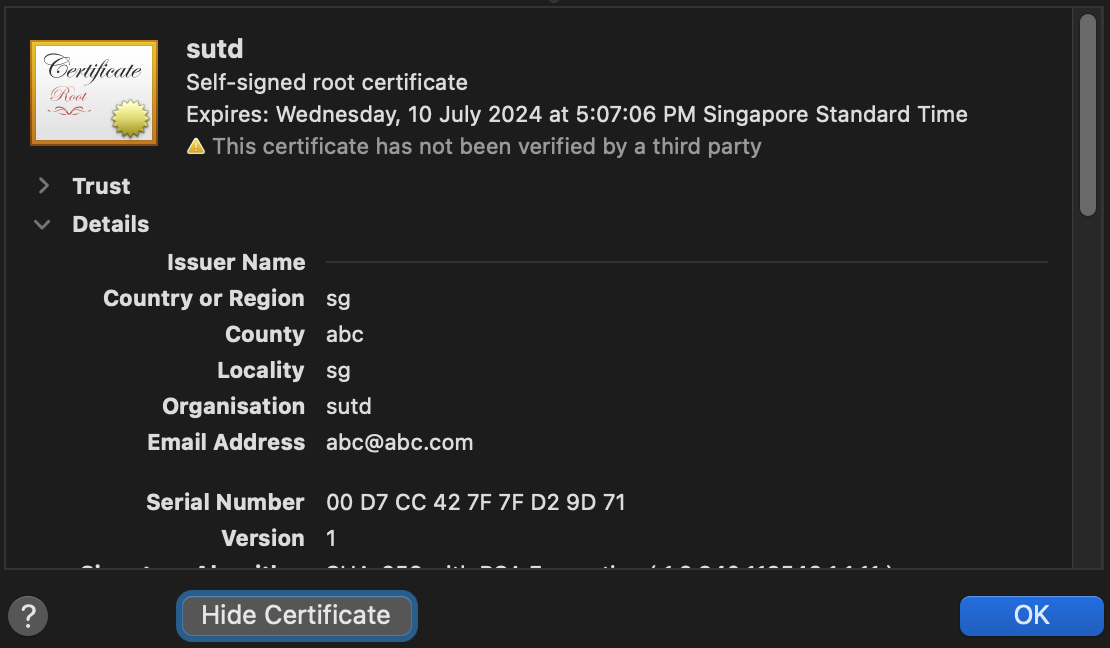
This is different from the certificates generated by Flask when you use adhoc method instead:
QUIC
Modern browsers at the time of this writing (Jun 2023) have moved to utilise QUIC: a multiplexed transport over UDP. Its goal is to improve user experience by reducing page load times, and it started as an alternative to TCP+TLS+HTTP/2.
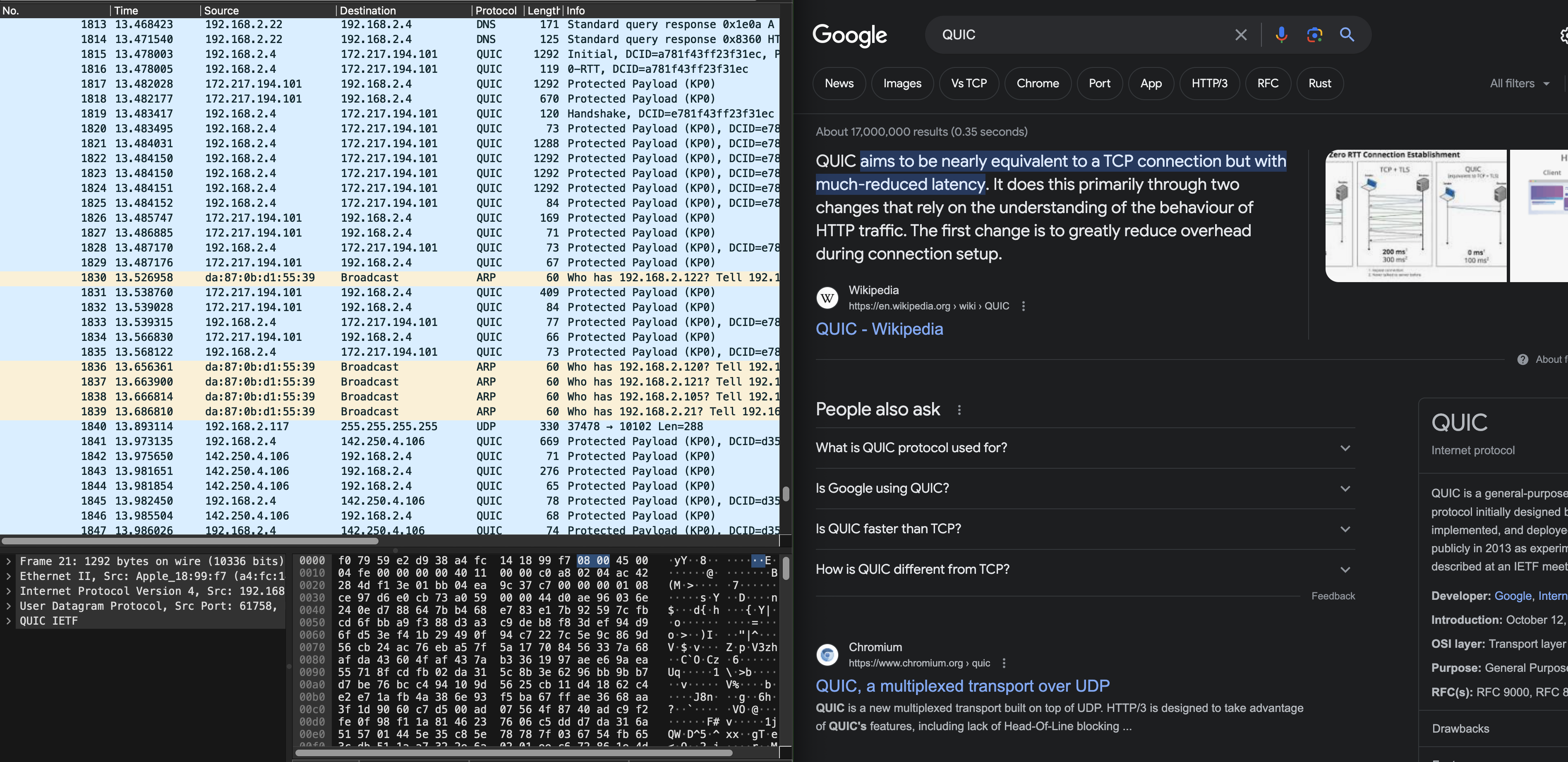
QUIC is out of syllabus, but we figured it would be fun to know.
Summary
In this lab, you have learned several things pertaining to our syllabus:
- Understand client-server model of network applications
- Understand how web server works and the HTTP requests and responses
- Understand how wireshark packet sniffer and analyzer works and its application
It might do you some good to try and draw the space-time diagram of sample_capture/homepage_coffee.pcapng as practice. Although it is not formally graded, it might give you a better understanding on TCP handshake and the timeline of HTTP messages exchanged between server/client.