Inspecting Packets with Wireshark
In the previous lab, you learned how to load and view captured packets with Wireshark. This time around, you will be doing the capturing on your own. Start both server_pot.py and webapp_coffee.py and open Wireshark.
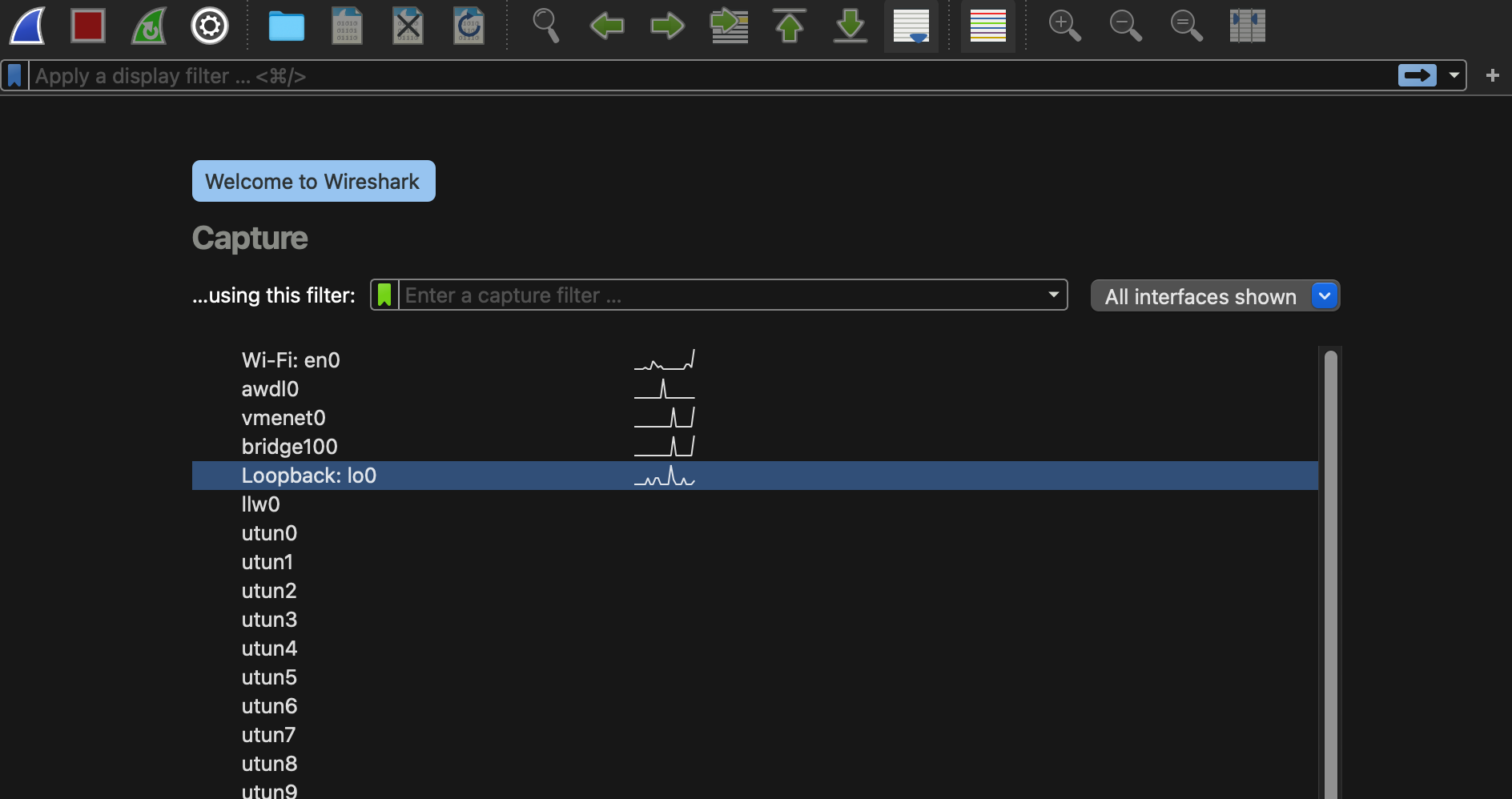
First, sniff the loopback interface:
macOS users need to install chmodbpf package before being able to sniff loopback interface. See here.
Then, apply the filter (tcp.port == 5030) or (tcp.port == 5031). Open your web browser and access the homepage of your site http://127.0.0.1:5031. You should see some packets captured as follows:
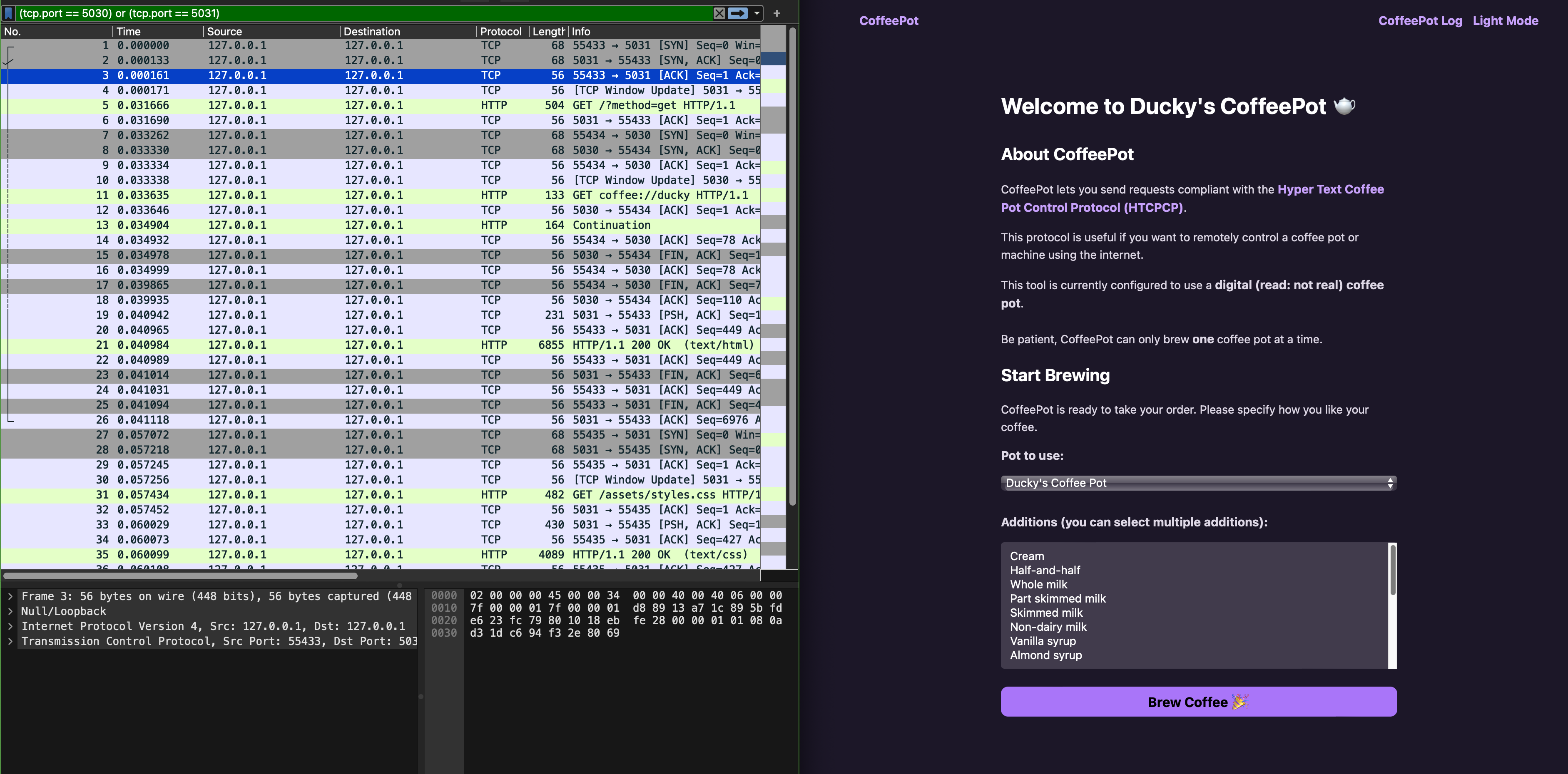
Notice that there’s no HTCPCP traffic since Wireshark doesn’t have a dissector for it.
Task 2
TASK 2: Install the HTPCPCP dissector for Wireshark.
You can follow this readme file prepped by your TA. This readme file exists under dissector/ directory of the project you just cloned for this lab too.
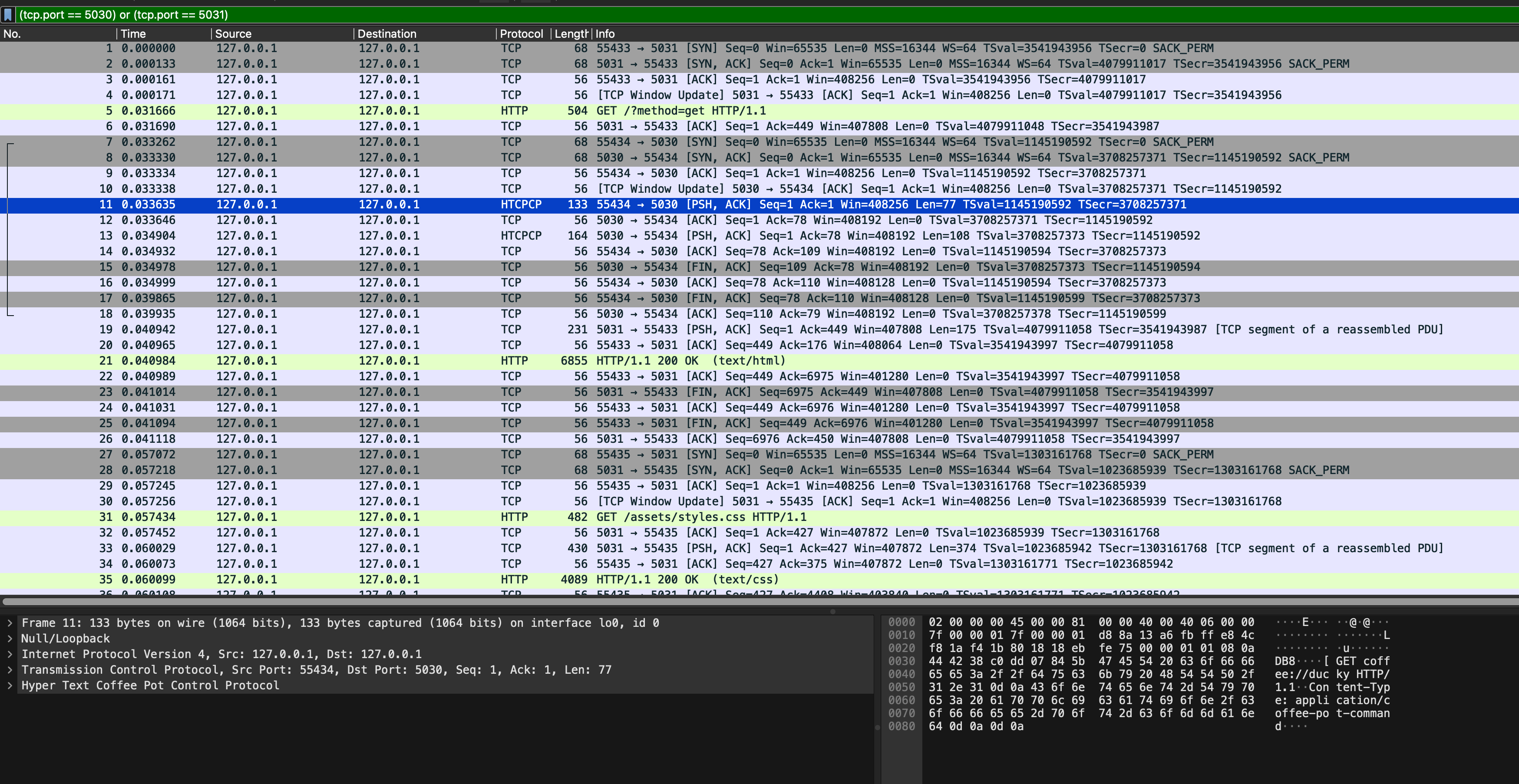
After the dissector is successfully installed, you should see custom HTCPCP tag appearing:
You can also filter the traffic by tag HTCPCP instead of port:
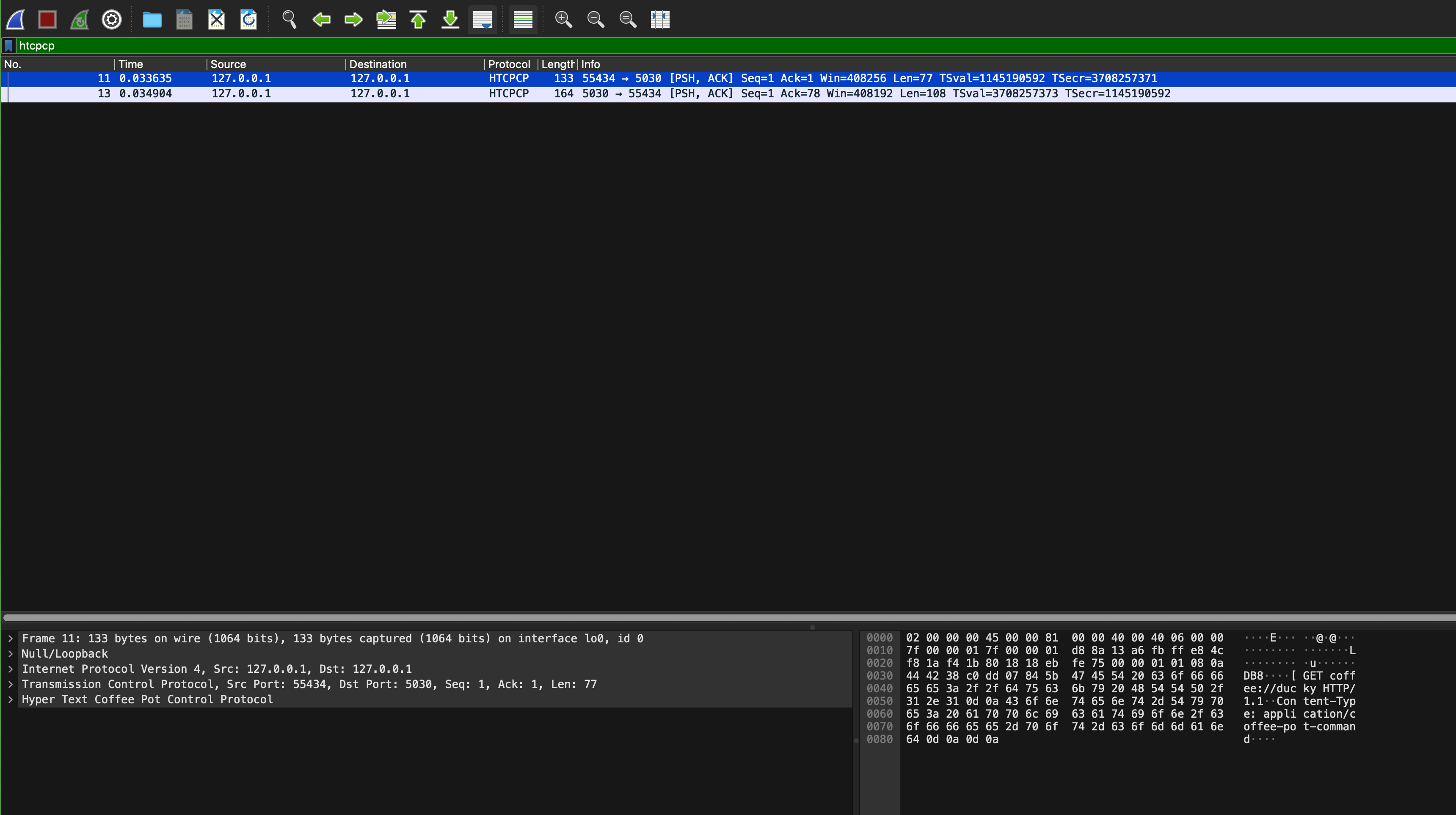
Then, interact with the site: brew some coffee with milk, view your coffee beans, etc to confirm that more HTCPCP packets are captured by Wireshark:
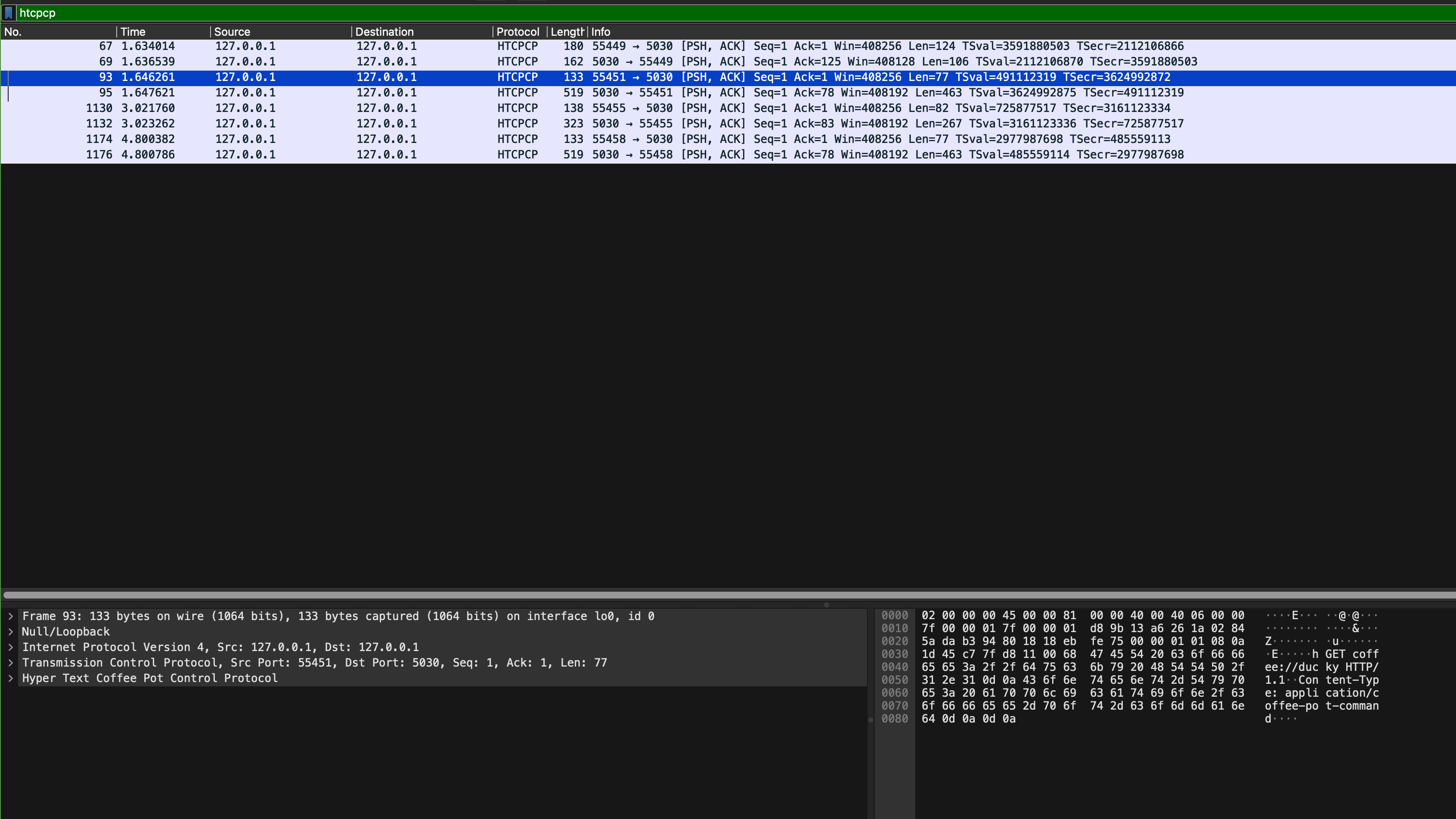
Head to eDimension to answer a few questionnaire pertaining to this task.
Task 3
TASK 3: TCP and TCP ports used
The file config/config.py states the ports used for the webserver and coffee server:
HOST = "0.0.0.0"
LOCALHOST = "localhost"
COFFEE_SERVER_PORT = 5030
WEBSERVER_PORT = 5031
BREW_TIME = 30
ERROR_TEMPLATE = "error.html"
TIME_STRING_FORMAT = "%a, %d %b %Y %H:%M:%S"
When we start both processes: the webserver and the coffee server, both servers are binding itself to port 5031 and port 5030 respectively to listen and wait for connection requests. Once a client attempts to connect to the socket, a new TCP socket is created using 4 identifiers: client IP, client port, server IP and server port.
The web browser is a client to the Flask app (the webserver part), and the Flask app is a client to our coffee webserver. Open sample_capture/homepage_coffee.pcapng in Wireshark and apply htcpcp or (tcp.port == 5031) filter. You will something like this, and use it to answer a few questions on eDimension.
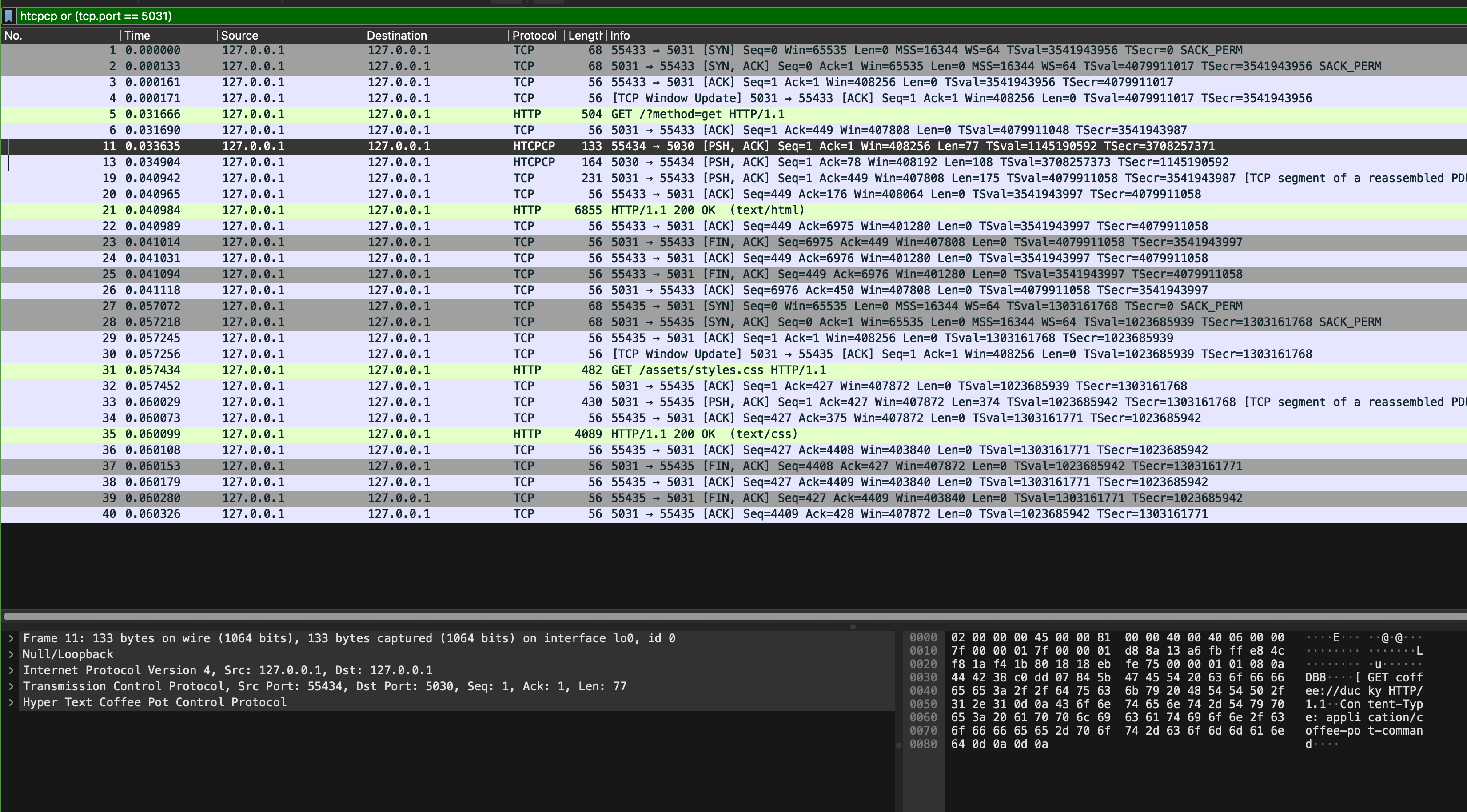
Pay attention to these few things:
- Can you find SYN, SYN-ACK, and ACK messages? When do we need these handshakes?
- What are the ports used for communication by the web browser and the Flask app?
- What are the ports used for communication by the Flask app and the coffee server?
- How many HTTP response(s) is/are present in the capture? What about request(s)? How can you tell which one(s) is/are the request vs the response?
- Repeat question 4 but with HTCPCP packets
Task 4
TASK 4: Inspect HTCPCP Messages
Now open sample_capture/coffee_brew.pcapng, and add the htcpcp filter on it:
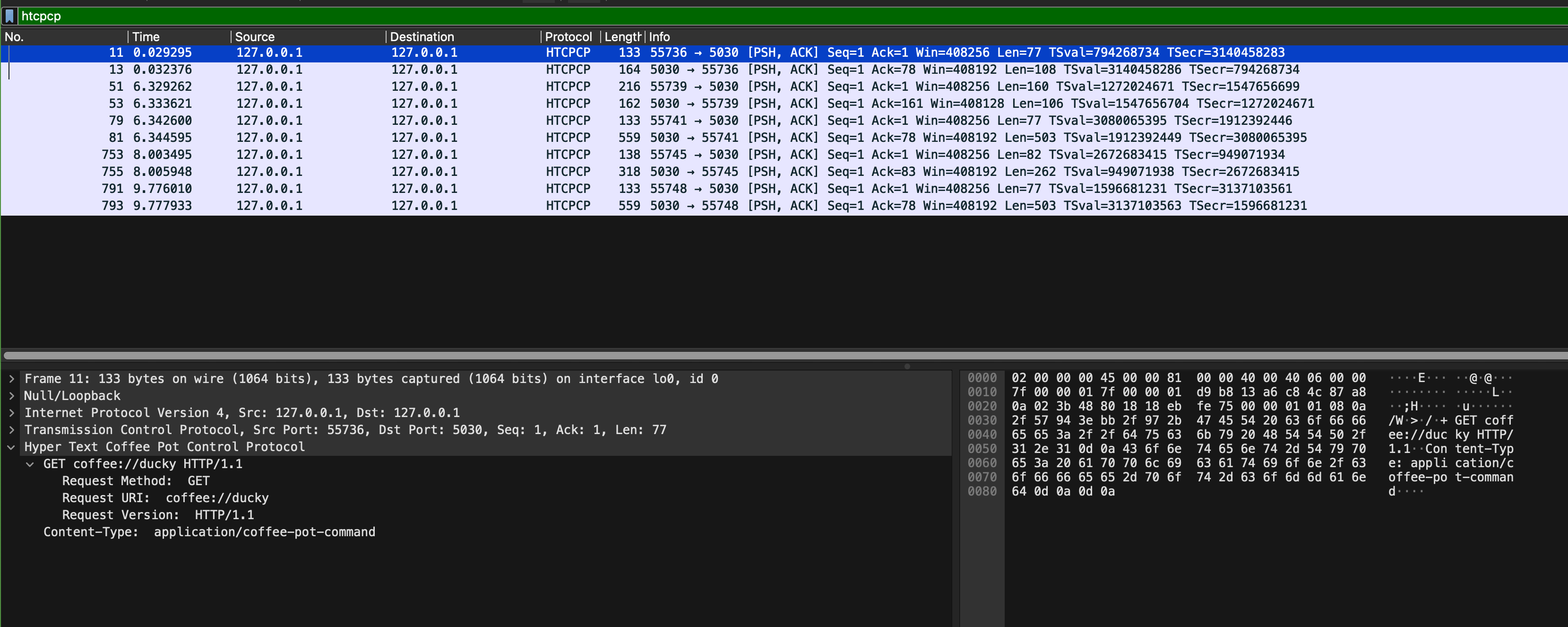
We captured these packets when we navigate to our coffee site homepage, brew a coffee, and query the beans currently used to brew the coffee. Inspect its content ans answer a few questions on eDimension. In particular, pay attention to these few things:
- What are the formats of HTCPCP request and response messages?
- What are the ports used for communication by the Flask app and the coffee server? Do they remain the same?
- Read the HTCPCP RFC, and find the corresponding implementation in
webapp_coffee.pyandserver_pot.py. There aren’t many of them. - What are the implemented HTCPCP methods? What headers are accepted on the messages
Task 5
TASK 5: Inspect HTTP Messages
Repeat Task 4, but now you inspect HTTP messages (use http filter on sample_capture/coffee_brew.pcapng):
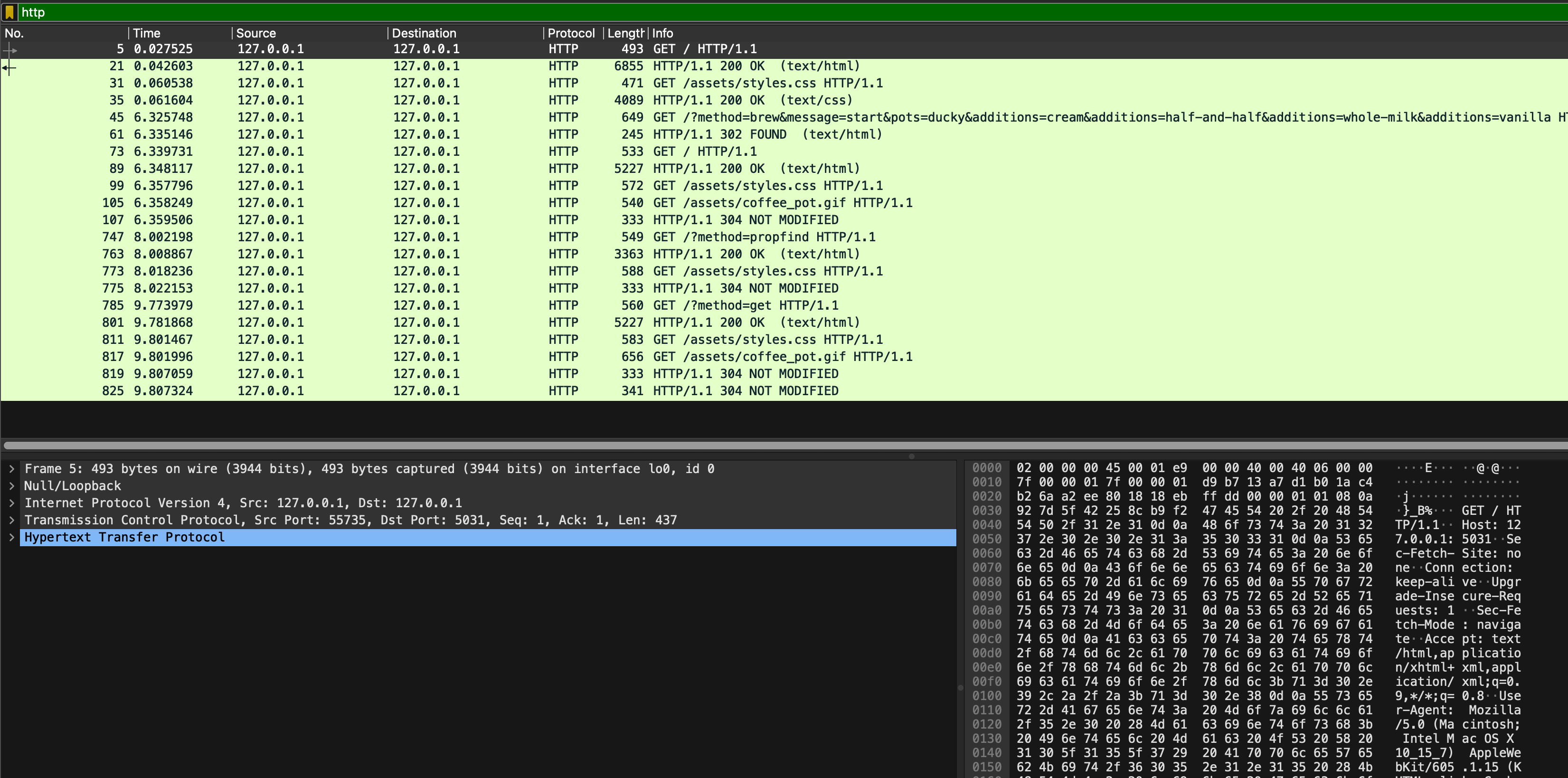
In particular, pay attention to these few things:
- Which packet contains the request made by the browser to get the base HTML page?
- What are the ports used for communication by the web browser and the Flask app? Do they remain the same?
- Which HTTP protocol is used? Is the connection persistent? Why and why not?
- How does the browser ask for more assets?
- The browser and the Flask app communicates via HTTP, not HTCPCP, but the us (users) wish to brew coffee (and indirectly communicate with the coffee server). How do we tell the Flask app the format of the HTCPCP message to be sent to the coffee server? Hint: see message number 45
As usual, head to eDimension to answer several questions pertaining to this task.