Wireshark is a powerful tool used to capture packets sent over a network and analyse the content of the packets retrieved.
Download dnsrealtrace.pcapng
The file dnsrealtrace.pcapng will be used in this lab, and it contains a trace of the packets sent and received when a web page is downloaded from a web server over the SUTD network. Download it.
Fun fact: In the process of downloading the web page, DNS is used to find the IP address of the server.
If you prefer to download the file from the CLI, enter the command:
wget "https://drive.google.com/uc?export=download&id=118Z03KnN7mNchsIs3G-DUdtf1zJV3NVI" --output-document dnsrealtrace.pcapng
Install Wireshark
Wireshark is a network protocol analyzer. Install wireshark from its official homepage here.
If you use Ubuntu (GUI enabled), run the following commands in install wireshark. You can then run wireshark with wireshark.
sudo add-apt-repository ppa:wireshark-dev/stable
sudo apt update
sudo apt install wireshark
sudo usermod -aG wireshark $(whoami)
If your system doesn’t support GUI, you can install tshark and termshark instead:
sudo add-apt-repository -y ppa:wireshark-dev/stable
sudo apt install -y tshark
sudo usermod -a -G wireshark $USER
sudo apt install termshark
The rest of this lab is written with the assumption that you used Wireshark. Other equivalent network protocol analyser should have similar functionalities.
Inspect Capture File
Open the dnsrealtrace.pcapng in Wireshark and answer the following questions. You can refer to a short Wireshark tutorial here before proceeding, but most things are self-explanatory.
After opening the file, you should have this interface:
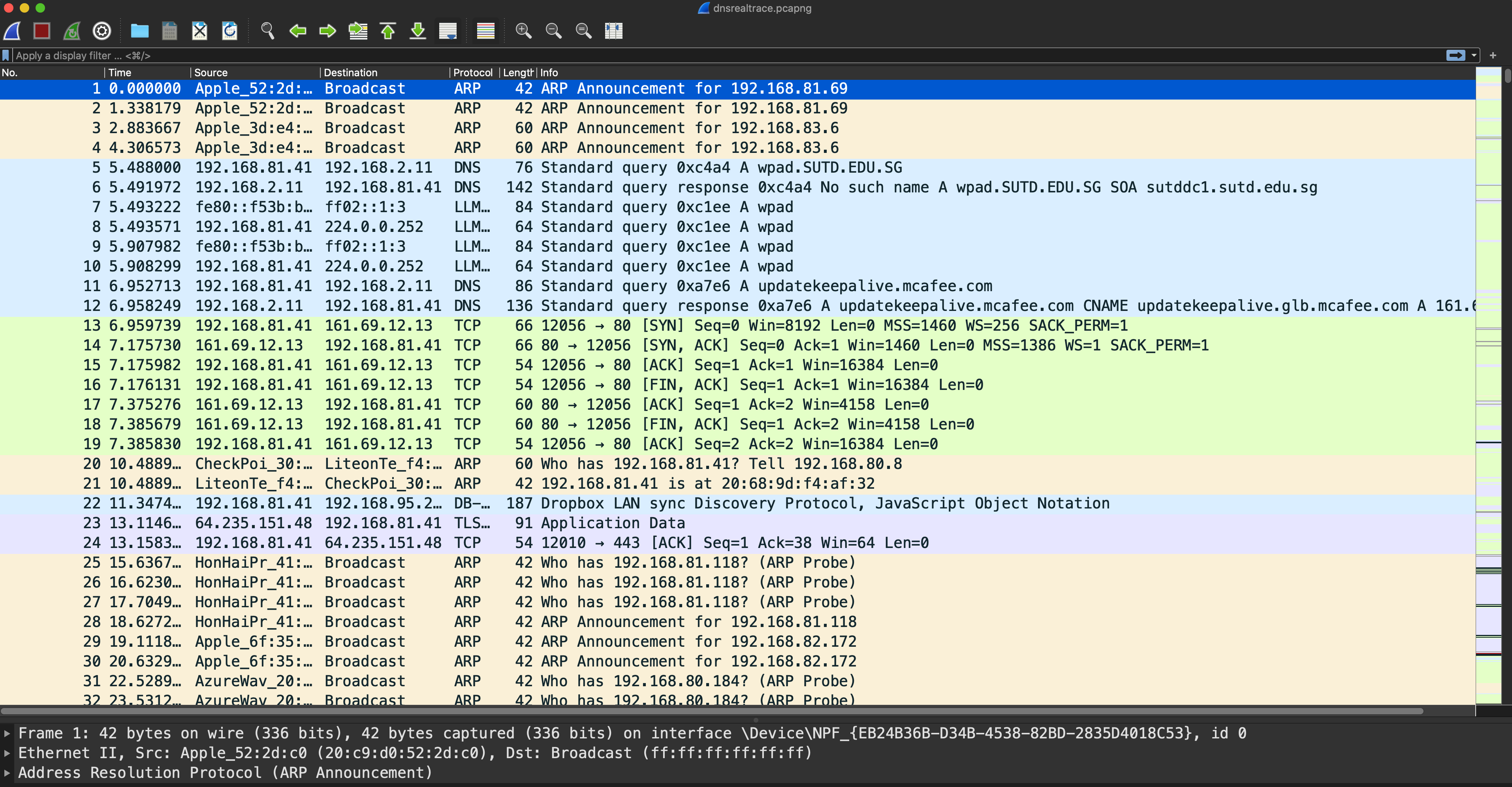
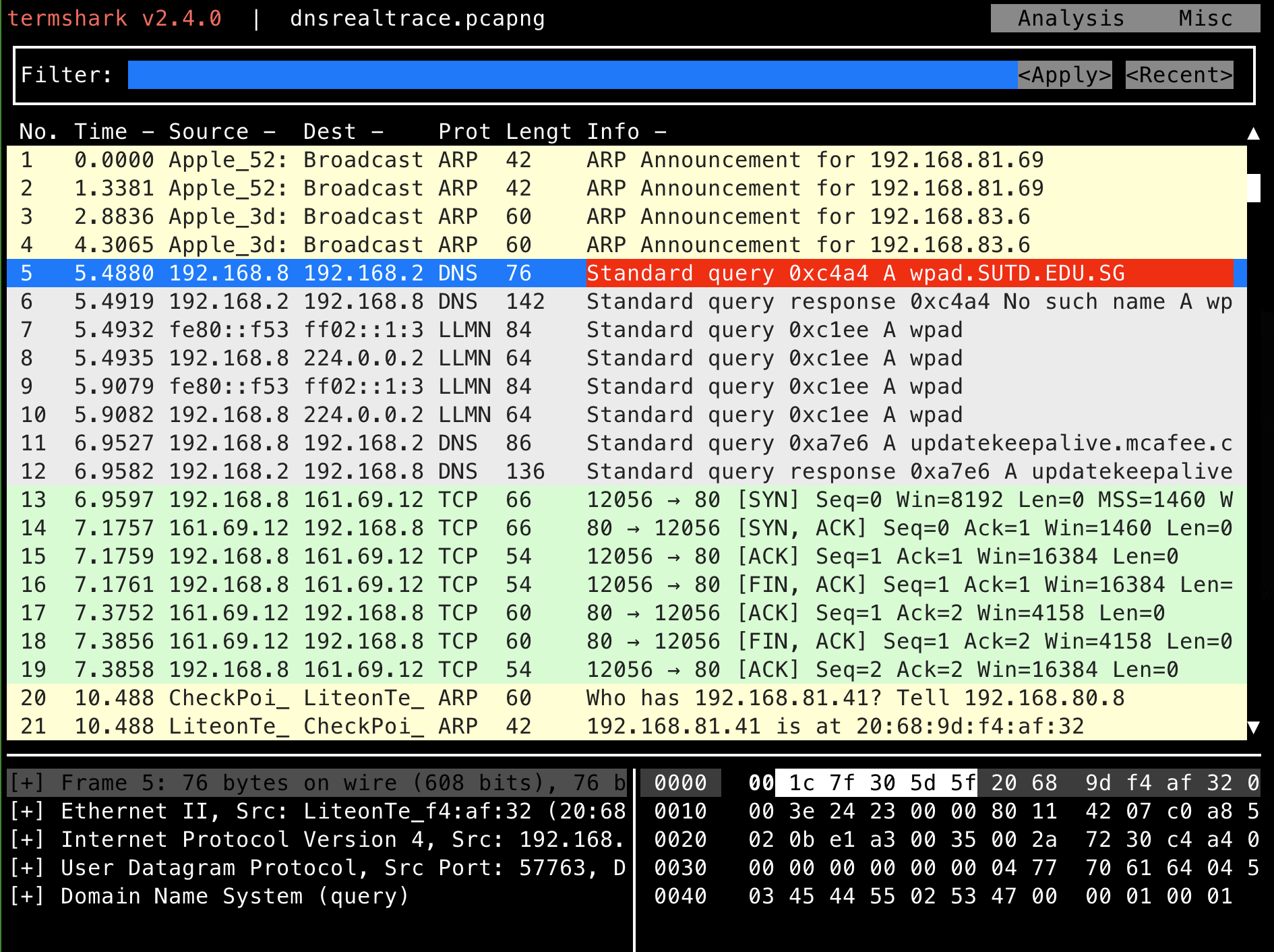
If you use termshark, you can enter the following command in the directory where the downloaded capture file reside:
termshark -r dnsrealtrace.pcapng
Task 12
TASK 12: Locate the DNS query and response messages. Are they sent over UDP or TCP?
Which numbers are these DNS query packets? Hint: look under protocol DNS
Task 13
TASK 13: What is the destination port for the DNS query message? What is the source port of the DNS response message?
Task 14
TASK 14: What is the IP address to which the DNS query message was sent? Run scutil --dns (macOS) or cat /etc/resolv.conf (Ubuntu) to determine the IPv4 address of your local DNS server. Are these two addresses the same? For Windows users, google it yourself 😄.
Task 15
TASK 15: Examine the second DNS query message in the Wireshark capture. What type of DNS query is it?
- Does the query message contain any answers?
Then examine the second DNS response message.
- How many answers are provided?
- What does each of these answers contain?
Task 16
TASK 16: Locate a TCP SYN packet sent by your host subsequent to the above (second) DNS response.
This packet opens a TCP connection between your host and the web server. Does the destination IP address of the SYN packet correspond to any of the IP addresses provided in the DNS response message?
Optional Activity
Capturing packets for packet analysis with wireshark:
-
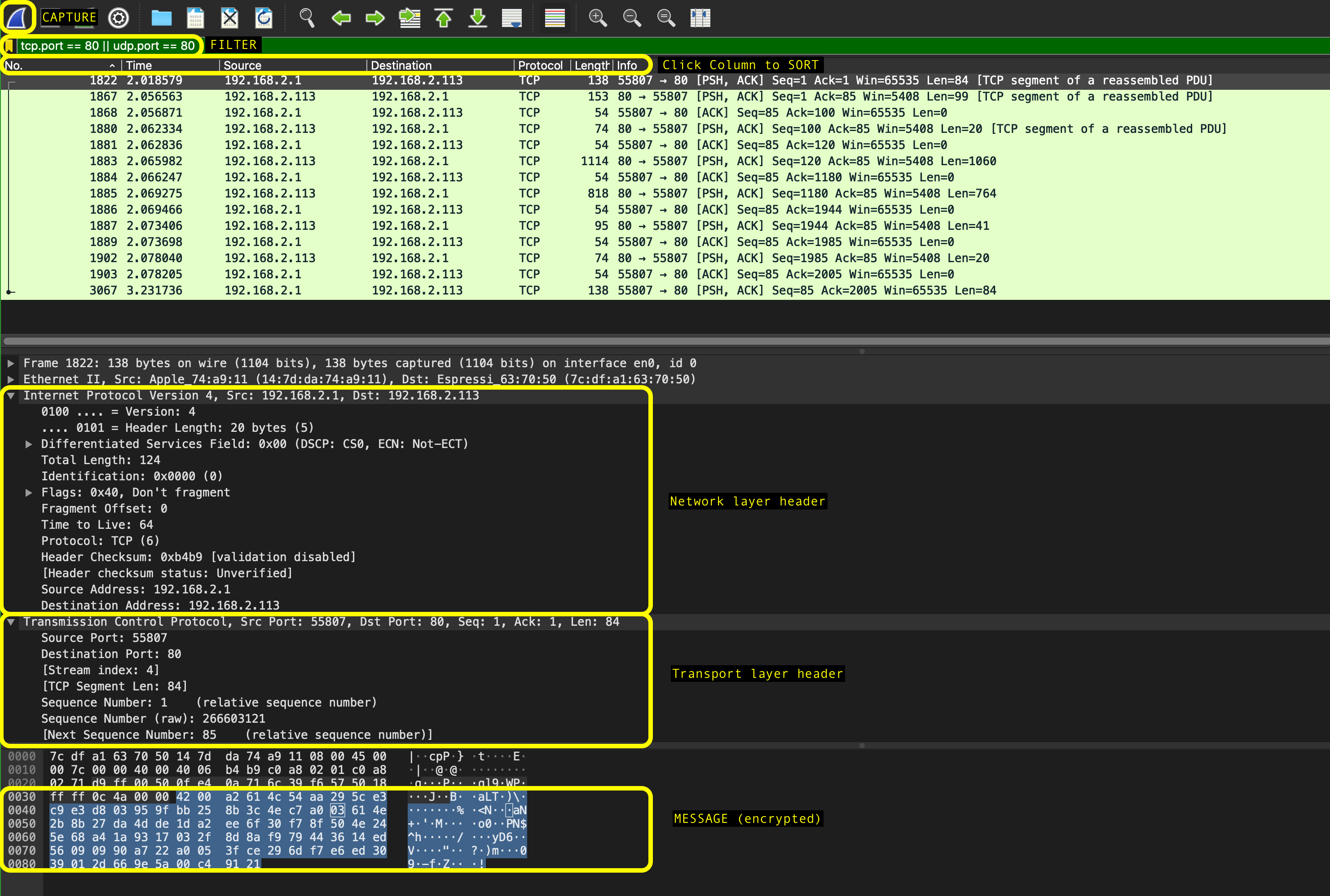
Once the program is launched, select the network interface to capture and click on the sharkfin icon at the top left of the application right under the menu bar to begin capturing packets. If you click on each packet, you can see each layer’s header and the application layer payload.
-
To explore the interface, mention the interface (e.g.
eth0,wlan) in the capture option. -
There are display filters to analyse the packets.
- Protocols: TCP, UDP, ARP, SMTP, etc.
- Protocol fields: port, src.addr, length, etc. (E.g.
ip.src == 192.168.1.1) - For more detailed instructions on Wireshark, refer to its official homepage