In NS Module 5, we learnt about the Client-Server and the Web, mainly about basics of socket programming and the HTTP message request/replies.
At the end of this lab exercise, you should be able to:
- Deploy web server and client applications
- Understand how HTTP works
- Implement a toy variant of HTTP called HTCPCP
- Explore differences between HTTP and HTTPs using packet sniffer (Wireshark / termshark)
- Analyse various captured packets exchanged between the browser, web server, and HTCPCP server
Checkoff and Lab Questionnaire
You are required to finish the lab questionnaire on eDimension and complete one CHECKOFF during this session. Simply show that your bsim simulates the desirable checkoff outcome (binary grading, either you complete it or you don’t) of the lab. Read along to find out more.
The Hyper Text Coffee ☕️ Pot Control Protocol
The Hyper Text Coffee Pot Control Protocol (HTCPCP) is a whimsical communication protocol for controlling, monitoring, and diagnosing coffee pots that is based on HTTP. It is specified in RFC 2324, published on 1 April 1998 as part of an April Fools prank. In this lab, we are not going to control a real coffee pot (although it is possible) but a virtual one via the HTCPCP protocol.
This exploratory lab is created to give you some kind of understanding on how to deploy fullstack (sort of) application that can be accessible via the network. You will then deploy both the web application and the HTCPCP server and sniff the packets exchanged using Wireshark.
The base code for project was originally taken from here, refactored, styled and adapted with more functionalities added to suit our learning experience in the lab. Special thanks to CSE TAs Cassie and Ryan for the inspiration, ideas, and contribution to create this lab.
System requirements
You need Python 3.10 or above (with pip) to run this project, and Wireshark (or equivalent) installed in your system. You are free to use any CLI or GUI based network protocol analyser. The latter is recommended for beginners. The rest of this lab is written with the assumption that you used Wireshark. Other equivalent network protocol analyser should have similar functionalities.
Source Code
Clone the repository for this lab:
git clone https://github.com/natalieagus/lab_htcpcp
Then, install the requirements:
pip install -r requirements.txt
There are two main processes to run:
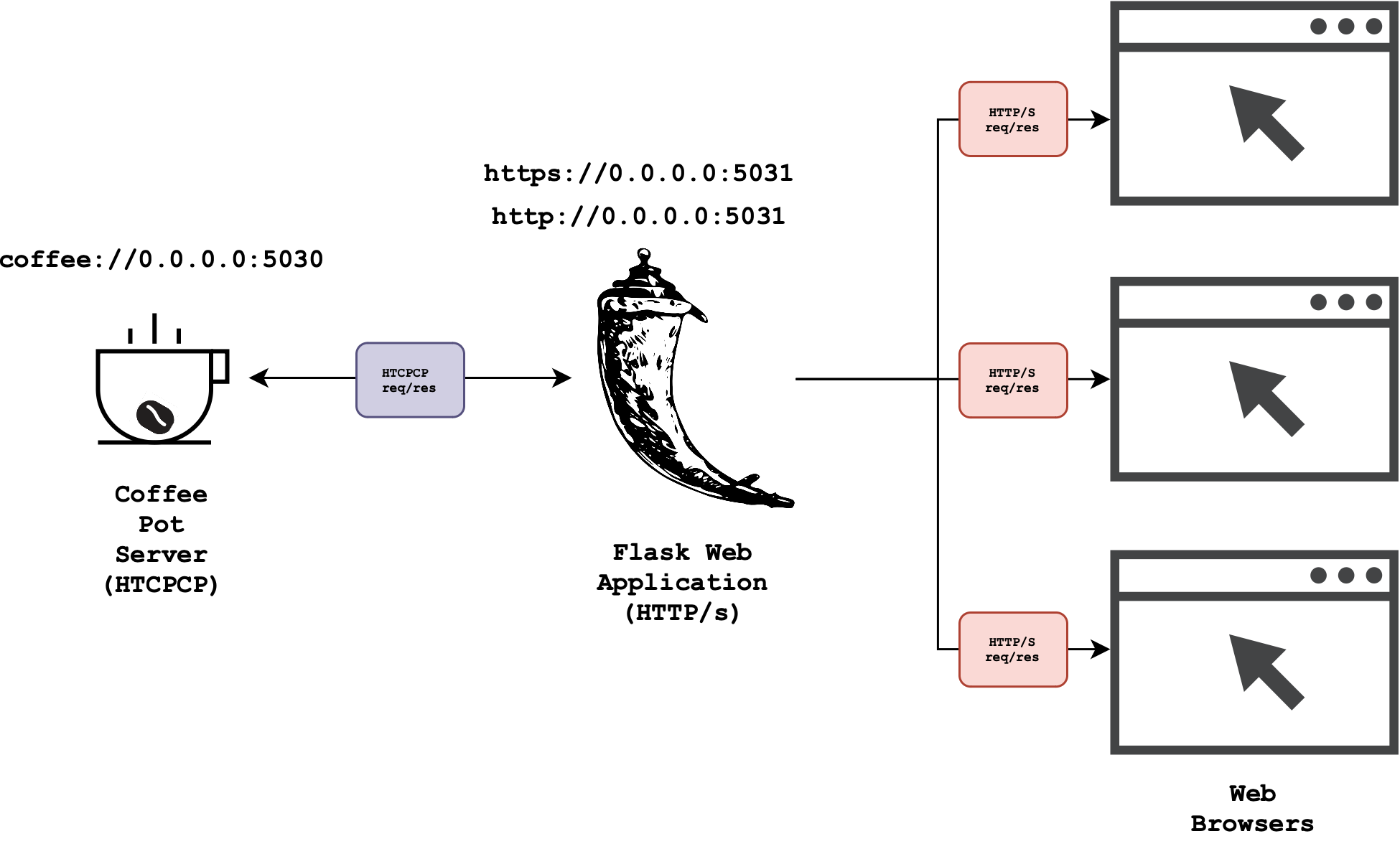
- A HTCPCP compliant Coffee Pot Server: implemented in Python using the socket library that accepts requests from
coffee://URI scheme (instead of http or https). - A full-stack web application (using Python Flask) that serves a regular HTTP-based web client and also help you send HTCPCP requests to the coffee pot server using your web browser.
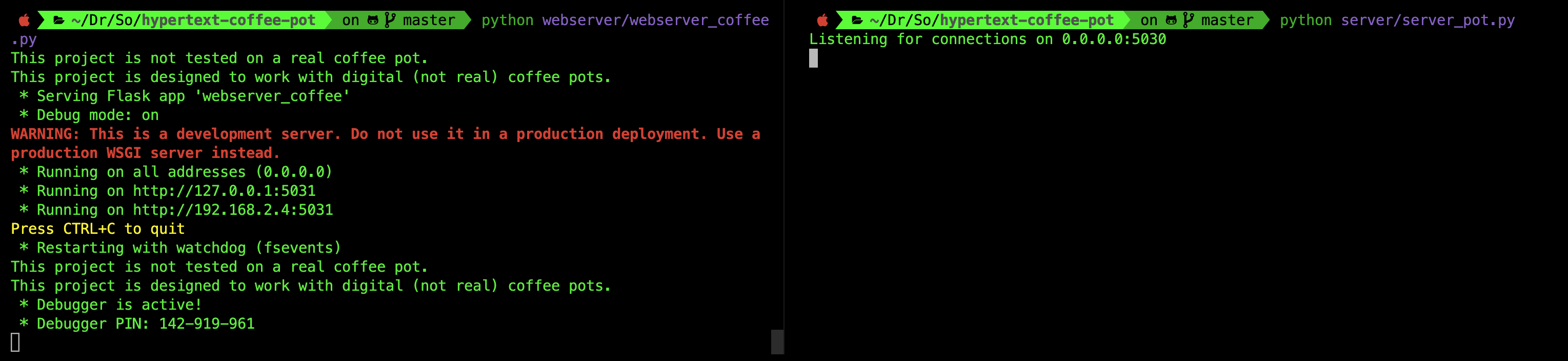
You can them on two separate terminal sessions. First, spawn the coffee pot server:
python server/server_pot.py
We assume that python is an alias to python3 in your system.
Then, spawn the web application (http):
python webapp/webapp_coffee.py
Options
The web application can receive two more options: -https and -local to host the website via https or locally only. The coffee pot server can also be set to be hosted locally only using the -local option.
localhost vs 127.0.0.1
You might have heard the term localhost or 127.0.0.1 if you just want to spawn a web server locally during development Both “localhost” and “127.0.0.1” are used to refer to the local host or the loopback interface of a device.
“localhost” is a hostname that is used to refer to the current device itself. It is a standard hostname that resolves to the loopback IP address, which is typically “127.0.0.1” in IPv4 or “::1” in IPv6.
When you access “localhost” in a web browser or any other network application on your device, it is resolved to the loopback interface, allowing communication with services running on the same device.
127.0.0.1 is the loopback IP address assigned to the localhost. It is part of the reserved IP address block for loopback addresses. When you use 127.0.0.1 directly, you are specifically referring to the loopback interface’s IP address.
It is the most commonly used loopback address in IPv4.
Since localhost is just a hostname, you can change them to be whatever you want. You can change the file /etc/hosts:
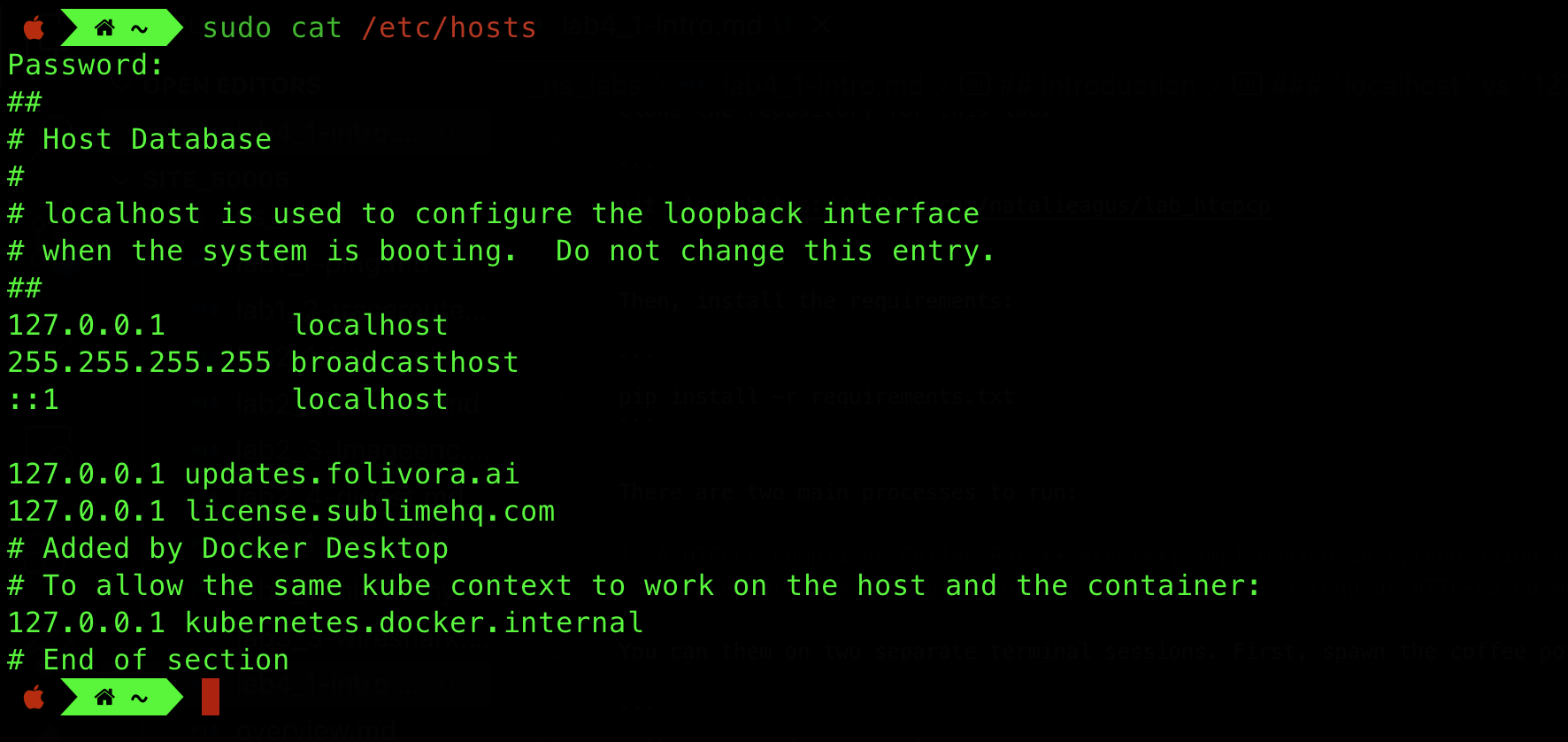
and then flush your system’s DNS cache to ensure it takes effect:
# macOS
sudo dscacheutil -flushcache

# Linux
sudo systemctl restart systemd-resolved
0.0.0.0 vs 127.0.0.1
Sometimes you might have read that you can spawn your server on 0.0.0.0 (if you were to deploy it on remote server like aws EC2 and expect it to be publicly reachable). When an IP address is set to “0.0.0.0,” it is a special value that represents all available network interfaces or all IPv4 addresses on the local machine. It is often used to specify that a service or application should listen on all available network interfaces, meaning it can accept connections from any IP address assigned to the machine.
For example, if a web server is configured to listen on 0.0.0.0:5000, it will accept incoming connections on all available IP addresses and interfaces of the machine.
This is different from when you access 127.0.0.1 or localhost on your machine, as you are connecting to services or applications running locally, within the same device. In summary, 0.0.0.0 represents all available network interfaces and is used for accepting connections from any IP address on the machine. 127.0.0.1 is the loopback address used to refer to the local machine itself, enabling communication with services running locally.
The Architecture
The diagram below summarises the architecture of the simple system:
Task 1
TASK 1: Study the architecture of the project.
Please refer to the readme of the project before proceeding to understand further details about the system and answer related questions on eDimension. In particular, you should pay attention to the following:
- What protocol(s) is/are used to exchange messages between the web application and the web browser?
- What protocol is used to exchange messages between the web application and the coffee server?
- Do the browser send messages directly to the coffee server? Why or why not?